If you do not use an attribute in the shortcode, remove it from the shortcode.
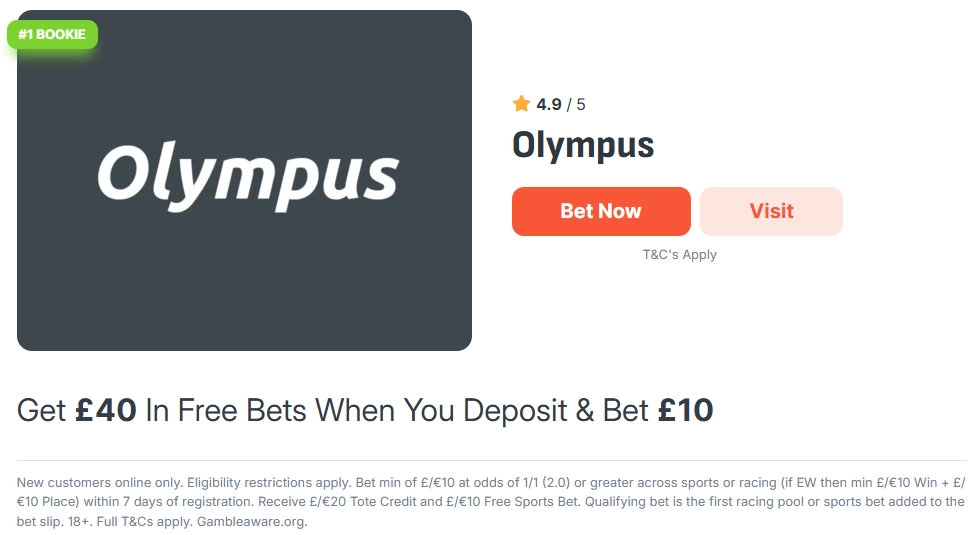
id – Optional attribute if the shortcode is placed on the single page of a Sportsbook custom post. To place the shortcode on other pages of the website, please add the ID of the desired Sportsbook post.
schema – If you want to enable the Schema.org Organization type for this shortcode, add the value yes to this attribute.
style – To place the shortcode on a dark background, you can switch to a light font by adding the dark value to this attribute.
positioning – To switch the shortcode display from horizontal to vertical, add the vertical value to this attribute.
show_geotargeting – Set this attribute to yes to enable the display of the country indicator. Only works if geotargeting is enabled.
If you do not use an attribute in the shortcode, remove it from the shortcode.
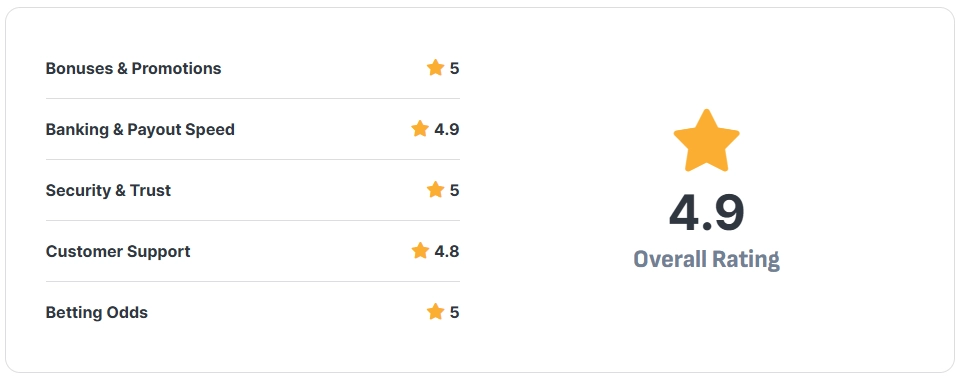
id – Optional attribute if the shortcode is placed on the single page of a Sportsbook custom post. To place the shortcode on other pages of the website, please add the ID of the desired Sportsbook post.
hide_ratings_list – To disable the display of the rating list and leave only the average, please add the value yes to this attribute.
style – To place the shortcode on a dark background, you can switch to a light font by adding the dark value to this attribute.
positioning – To switch the shortcode display from horizontal to vertical, add the vertical value to this attribute.
If you do not use an attribute in the shortcode, remove it from the shortcode.
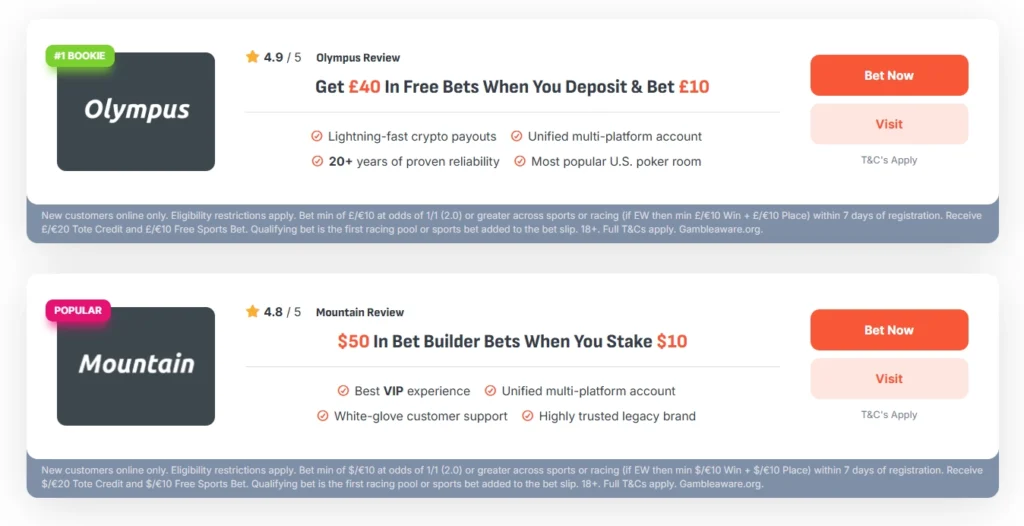
number_items – The number of items displayed in the list.
include_items – Add the item IDs that should be included in the list. Item IDs are listed separated by commas.
exclude_items – Add the item IDs that should not be included in the list. Item IDs are listed separated by commas.
category_ids – Add the category ID of the items to be shown in the list. You can add multiple category IDs separated by commas.
level_2_id – Add an item ID from the Prediction custom post that has a connection with one or more items from Sportsbooks. Only items that have a connection with an item from the Prediction custom post will be shown. Only one ID can be added.
hide_first_button – Add a yes value to this attribute to disable the first button for all items in the list.
hide_second_button – Add a yes value to this attribute to disable the second button for all items in the list.
sorting_taxonomy and sorting_taxonomy_id – These two attributes work only together. For the sorting_taxonomy attribute, you need to add the taxonomy key, and for the sorting_taxonomy_id attribute, the ID of one of its items. The list will show only items related to the item of the selected custom taxonomy.
order_by – Available sorting options for items in the list can be found here. To sort items by rating, please use the meta_value_num parameter.
order – There are two sorting options available: ASC (order from lowest to highest values) and DESC (order from highest to lowest values).
enable_geotargeting – Add a yes value to this attribute to enable sorting of items in the list by the user’s country. Only works if geotargeting is enabled.
If you do not use an attribute in the shortcode, remove it from the shortcode.
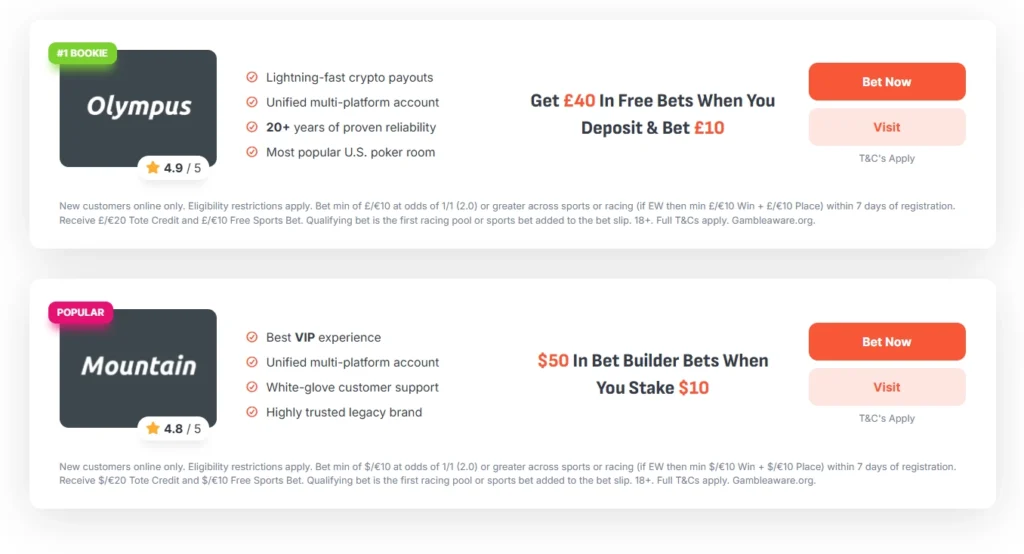
number_items – The number of items displayed in the list.
include_items – Add the item IDs that should be included in the list. Item IDs are listed separated by commas.
exclude_items – Add the item IDs that should not be included in the list. Item IDs are listed separated by commas.
category_ids – Add the category ID of the items to be shown in the list. You can add multiple category IDs separated by commas.
level_2_id – Add an item ID from the Prediction custom post that has a connection with one or more items from Sportsbooks. Only items that have a connection with an item from the Prediction custom post will be shown. Only one ID can be added.
hide_first_button – Add a yes value to this attribute to disable the first button for all items in the list.
hide_second_button – Add a yes value to this attribute to disable the second button for all items in the list.
sorting_taxonomy and sorting_taxonomy_id – These two attributes work only together. For the sorting_taxonomy attribute, you need to add the taxonomy key, and for the sorting_taxonomy_id attribute, the ID of one of its items. The list will show only items related to the item of the selected custom taxonomy.
order_by – Available sorting options for items in the list can be found here. To sort items by rating, please use the meta_value_num parameter.
order – There are two sorting options available: ASC (order from lowest to highest values) and DESC (order from highest to lowest values).
enable_geotargeting – Add a yes value to this attribute to enable sorting of items in the list by the user’s country. Only works if geotargeting is enabled.
If you do not use an attribute in the shortcode, remove it from the shortcode.
number_items – The number of items displayed in the list.
include_items – Add the item IDs that should be included in the list. Item IDs are listed separated by commas.
exclude_items – Add the item IDs that should not be included in the list. Item IDs are listed separated by commas.
category_ids – Add the category ID of the items to be shown in the list. You can add multiple category IDs separated by commas.
level_2_id – Add an item ID from the Prediction custom post that has a connection with one or more items from Sportsbooks. Only items that have a connection with an item from the Prediction custom post will be shown. Only one ID can be added.
hide_first_button – Add a yes value to this attribute to disable the first button for all items in the list.
hide_second_button – Add a yes value to this attribute to disable the second button for all items in the list.
sorting_taxonomy and sorting_taxonomy_id – These two attributes work only together. For the sorting_taxonomy attribute, you need to add the taxonomy key, and for the sorting_taxonomy_id attribute, the ID of one of its items. The list will show only items related to the item of the selected custom taxonomy.
order_by – Available sorting options for items in the list can be found here. To sort items by rating, please use the meta_value_num parameter.
order – There are two sorting options available: ASC (order from lowest to highest values) and DESC (order from highest to lowest values).
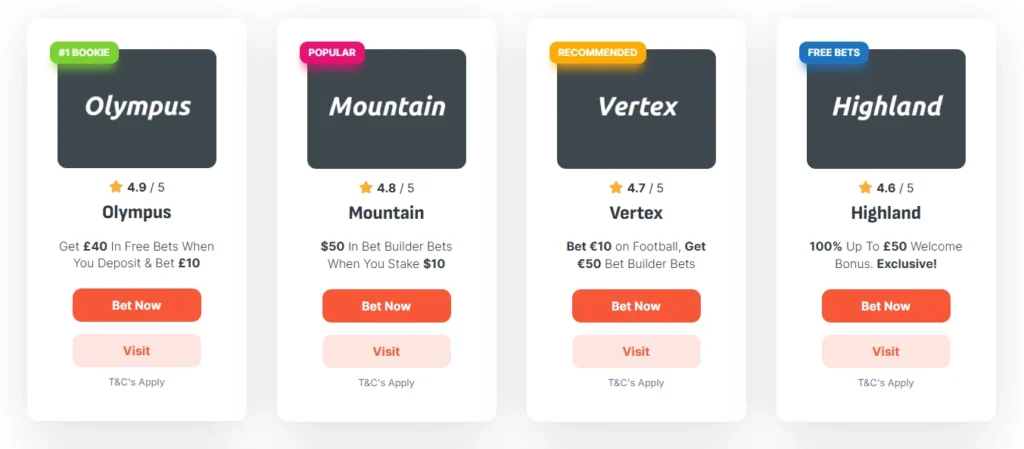
columns – The number of columns in the list. Valid values are 1, 2, 3, and 4.
enable_geotargeting – Add a yes value to this attribute to enable sorting of items in the list by the user’s country. Only works if geotargeting is enabled.
If you do not use an attribute in the shortcode, remove it from the shortcode.
number_items – The number of items displayed in the list.
include_items – Add the item IDs that should be included in the list. Item IDs are listed separated by commas.
exclude_items – Add the item IDs that should not be included in the list. Item IDs are listed separated by commas.
category_ids – Add the category ID of the items to be shown in the list. You can add multiple category IDs separated by commas.
level_2_id – Add an item ID from the Prediction custom post that has a connection with one or more items from Sportsbooks. Only items that have a connection with an item from the Prediction custom post will be shown. Only one ID can be added.
sorting_taxonomy and sorting_taxonomy_id – These two attributes work only together. For the sorting_taxonomy attribute, you need to add the taxonomy key, and for the sorting_taxonomy_id attribute, the ID of one of its items. The list will show only items related to the item of the selected custom taxonomy.
order_by – Available sorting options for items in the list can be found here. To sort items by rating, please use the meta_value_num parameter.
order – There are two sorting options available: ASC (order from lowest to highest values) and DESC (order from highest to lowest values).
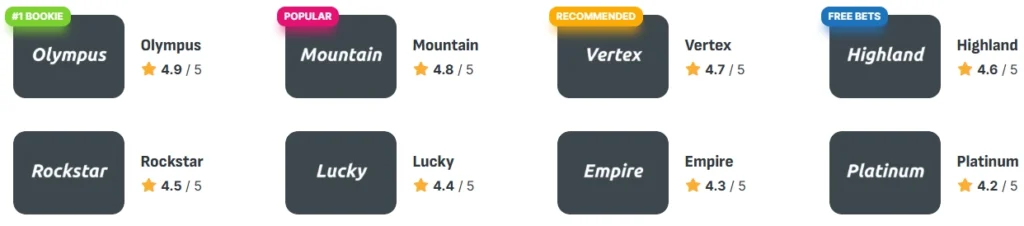
columns – The number of columns in the list. Valid values are 1, 2, 3, and 4.
enable_geotargeting – Add a yes value to this attribute to enable sorting of items in the list by the user’s country. Only works if geotargeting is enabled.